posted in Asklemmy

Did I got scammed? My Prime B360M-K sometimes boots with Gtx1650, and sometimes don't.

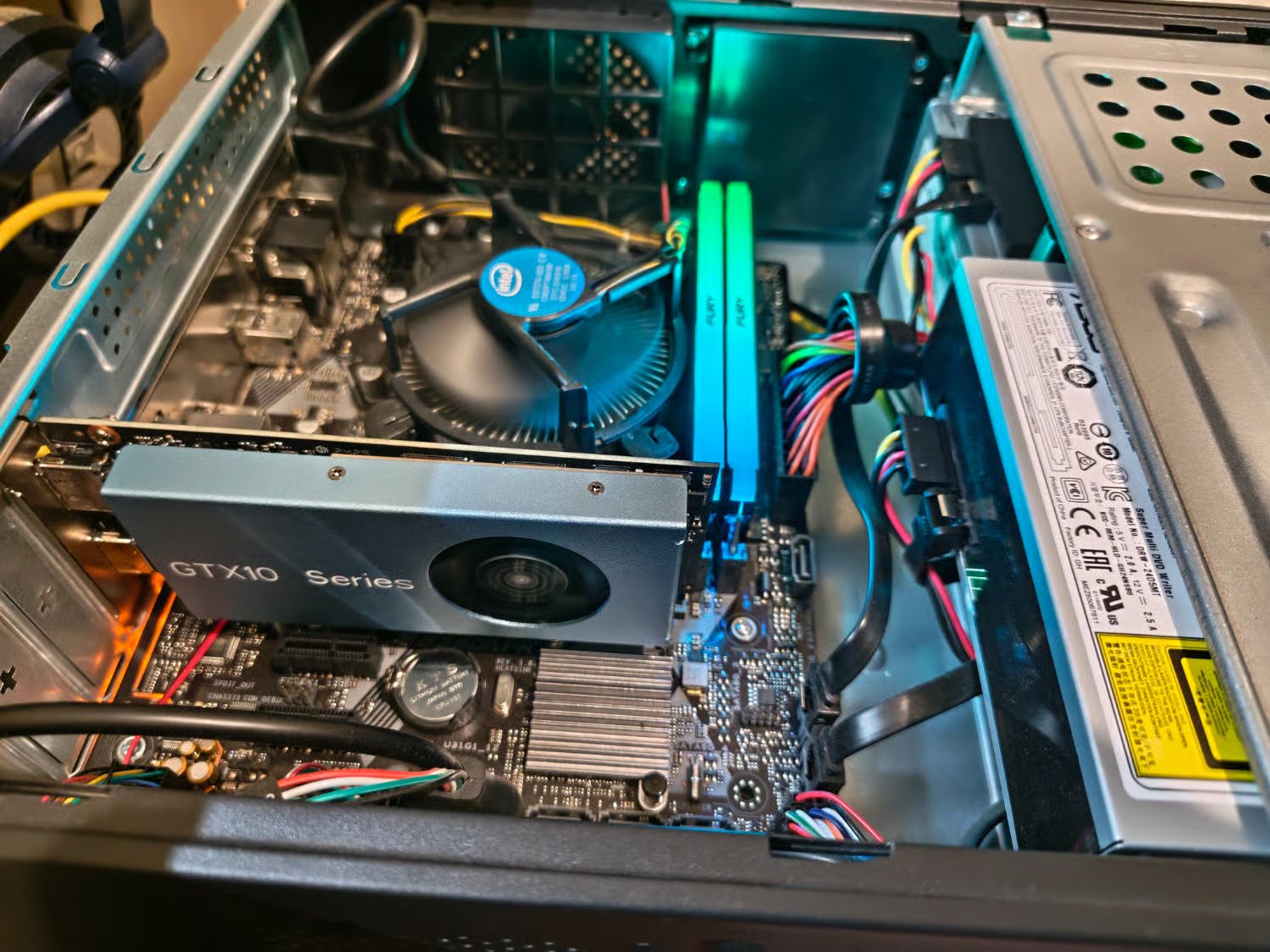
With horrible pc parts price I bought this Office PC with a Asus Prime B360M-K to upgrade as a gaming pc but the chiniese GTX 1650 Low profile I bought does not boot sometimes. It gives 1 long beep and 3 short beeps gap and another beep. card fan does spin all the time.

enPage

Replying to @⁨Ascend910@lemmy.ml⁩

Look up the beep codes for your motherboard in the manual (find on their website) to confirm what the beeps mean. (Good to have downloaded/bookmarked anyway)

Next/first, with the computer turned off at the PSU (but still plugged in) try removing and re-slotting the GPU (there may be a button/leaver to release it on the motherboard. There may also be a screw holding it into the case on the inside at the back). If it only sometimes doesn’t work, that indicates it’s probably just a bad connection.

Replying to @⁨Nighed@feddit.uk⁩

I’ve a similar board. Long-short-short-short means no graphics adapter detected, and then that pause with one short beep I think means no keyboard detected.

Edit: ASUS have stopped putting the beep codes in their manuals for some reason so I don’t know where one is expected to find this information out. It was in my manual but that’s a much older model.

Replying to an earlier post

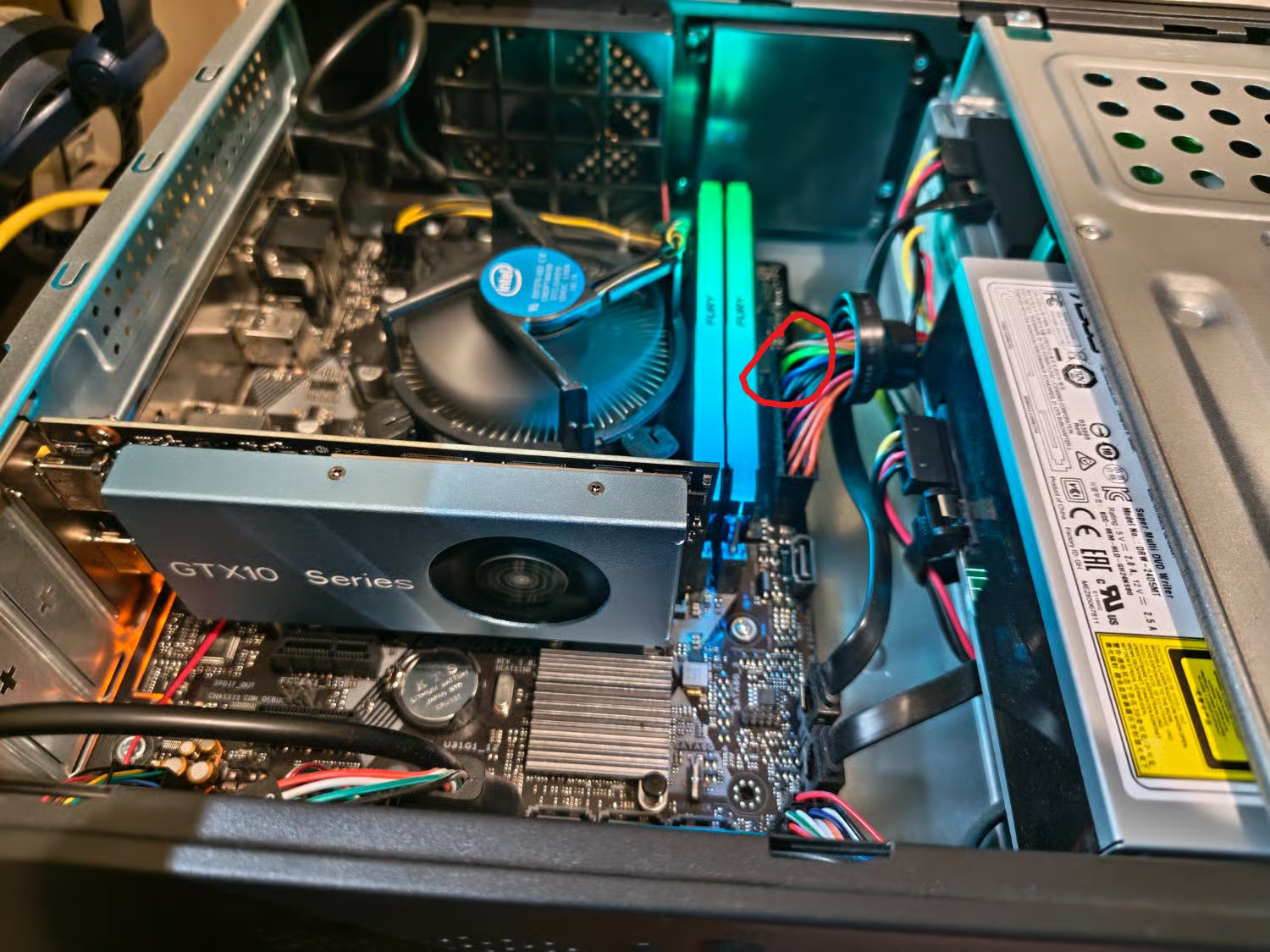
Yeah, more likely. You mention ‘chinese’ and that threw a red flag. Anything from there, particularly when it comes to electronics and computer components, should always be a high concern. I mean, look at the plating of the card. You say it comes up as a GTX 1650, so why is the plating saying ‘GTX-10’? If you look up low-profile GTX 1650, you will know that NONE of them look like that.

Replying to an earlier post

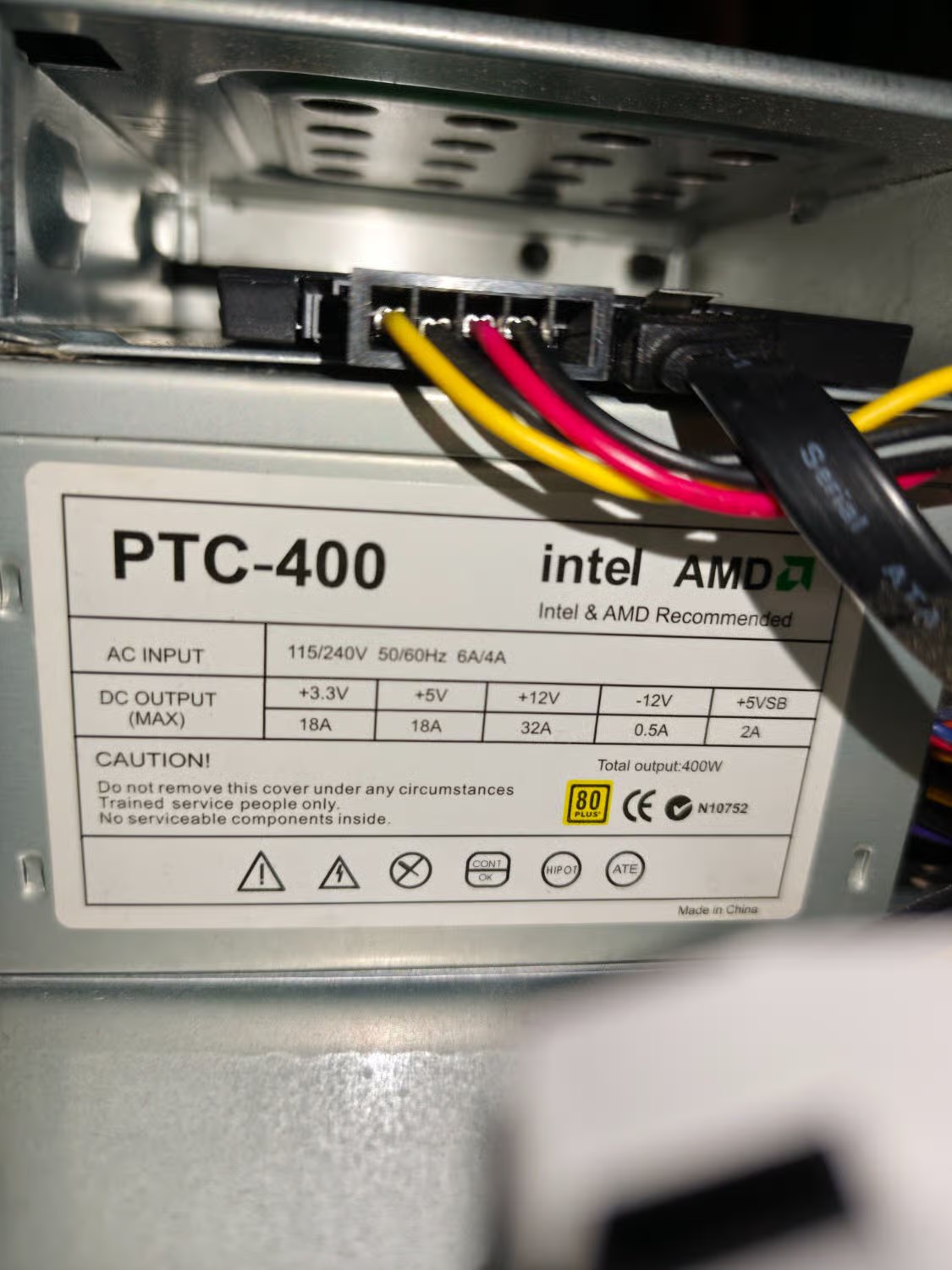
It really seems like replacing that with a higher rated name brand psu will resolve your problem. You’re running up against the maximum power the pcie slot is rated to deliver. Claimed wattage only tells part of the story. All that power for the card has to come through the 24 pin connector along with everything else.

If you wanna prove me wrong plug the motherboard/cpu/gpu into someone else’s higher rated power supply and show that it has the same behavior.

If there’s a computer shop near you they’ll probably do this test in front of you with one of their power supplies for a couple of bucks. If there’s a gamer friend they’ll do it for free to help you figure out the problem.

Replying to @⁨Ascend910@lemmy.ml⁩

Give us a close up of your motherboard here.

Also, try booting without the optical drive plugged into anything. It’s useless anyway and it might be just enough of a difference in power to get you booted reliably. If that does work though, I wouldn’t be surprised if you see crashes when you throw a graphics workload at your card and it tries to draw its full power.