posted in Selfhosted

Improve very slow library scans on Jellyfin 10.11 / 12 on spinning media

I’ve been trying to upgrade from 10.10 to 10.11 for a while now, as the Android TV app keeps nagging me, and every attempt ended with impossibly long library scan times.

After some thorough investigation, it appeared that a Home Videos type collection causes unending scan (yet to be solved), but also that Jellyfin does a lot of writes to the config directory (either database or metadata or both). Mine’s on spinning media part of a ZFS pool. I tried a few performance tuning options, such as testing the config dir with recordsize (similar to block size) of 4K, 8K, 64K, 128K and library scans fell from 30-40 minutes down to 8-13min with 4K-64K. The ZFS tuning wiki suggest 64K recordsize with LZ4 compression for SQLite workloads such as Jellyfin. That seems to work as well as 4K and 8K but likely is faster when reading thumbnails and such.

Note that upgrading to 12-rc3, which is supposed to speed up library scans did not improve scan times for me. Optimizing config/database write speed did. I cross-checked the culprit by experimenting with moving the config dir to NVMe and RAM. Both of those got the scan times down to 8-9 minutes compared to the optimized spinning media’s 12-13.

So if you had upgraded (or about to) to 10.11 your library scans are (about to get) dog slow and your Jellyfin’s config dir resides on spinning media, optimize its write performance for SQLite.


Replying to @⁨MaggiWuerze@feddit.org⁩

Jellyfin doesn’t open up your network unless you specifically allow remote access exactly like Plex. The only difference is Jellyfin doesn’t have the encrypted tunnel built in- you need to know it needs it and add it yourself.

Plex has had bugs that allowed remote access into your home’s Plex server. nvd.nist.gov/vuln/detail/CVE-2025-34158

nvd.nist.govNVD - CVE-2025-34158

Replying to @⁨Blue_Morpho@lemmy.world⁩

Having an https connection doesn’t do shit if the Backend is insecure. The issue with exposing Jellyfin are not man in the middle attacks, but badly managed access controls and unsecured endpoints.

Thede issues and the unwillingness of the devs to fix them because they are hellbent on keeping a maximum of client compatibility is what makes it hard to trust the overall security of the project.

That’s why basically everyone, including the devs, says to not do that and instead rely on a vpn to mitigate security risks.

Replying to @⁨GoatSynagogue@lemmy.world⁩

You obviously don’t use Plex to claim it doesn’t need an open port for remote access:

…plex.tv/…/201543147-what-network-ports-do-i-need…

I already posted a CVE that allowed hackers access to a Plex server running at home.

Plex SupportWhat network ports do I need to allow through my firewall?Note: This article is discussing ports in the local firewall of the computer running Plex Media Server. This is not...

Replying to @⁨GoatSynagogue@lemmy.world⁩

I quoted Plex documentation where it explains in detail that you need port 32400 OPEN for remote access. support.plex.tv/…/200289506-remote-access/

I linked the CVE but here is the plain language version because you didn’t read what I linked:

howtogeek.com/over-300k-plex-servers-are-still-vu…

"The flaw has been assigned a CVSS score of 10.0, the highest possible level of severity. This score indicates that the vulnerability can be exploited remotely over the internet, is easy to execute, and requires no authentication or interaction from the server’s owner. A successful attack could result in a total loss of confidentiality, integrity, and availability. An attacker could access, modify, or delete a user’s private media files, or even disable the entire Plex server. "

What the fuck is wrong with you?

Plex SupportRemote Streaming (Setting Up Remote Access)Enable access to your Plex Media Server from outside your local network so that you can reach it when away...

Replying to @⁨Blue_Morpho@lemmy.world⁩

You clearly don’t understand how Plex and port forwarding work if you think that is in any way the same as opening a port to the Internet for everyone to hit jellyfin with zero security on it.

The CVE has been exploited zero times that we know of, and at worst they can delete your media files and Plex server. It’s never been reported of happening, and we have no idea how difficult it is to do - but because it hasn’t happened, it’s probably extremely hard and requires a chain of very unlikely things to have happened first.

Replying to @⁨fuckwit_mcbumcrumble@lemmy.dbzer0.com⁩

Outside the network you still have to open your server to allow plex cloud to access it and potentially tunnel your traffic through plex.tv if a direct connection doesn’t work. This happens automatically but it does happen

With Jellyfin you just have to supply your own relay, like Tailscale or wireguard, which does require more setup but is completely free, means that you can stop your media traffic from being funneled through services that harvest your data (which plex absolutely does), and doesn’t go to shit if plex.tv goes down

Replying to an earlier post

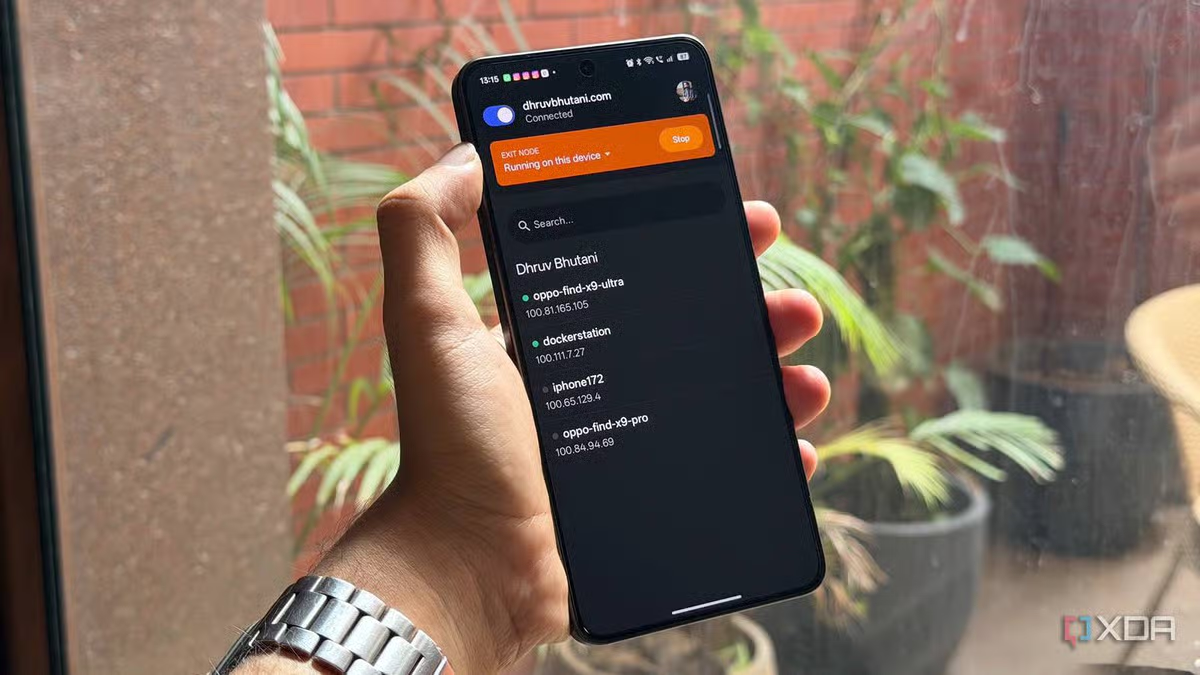
You can do the exact same thing with Plex, you just don’t need to since automatic remote streaming is built in. In fact, the article’s solution is literally Tailscale.

You can also bypass plex authentication on any ip range you choose, so if you add your local network and plex’s auth service goes down, it’s no big deal.

XDAI bypassed Plex's remote streaming paywall with one free toolYour Plex server can stream remotely for free if you know about this mesh VPN trick

Replying to @⁨ragebutt@lemmy.dbzer0.com⁩

This happens automatically but it does happen

And that’s the key, it happens automatically and it just works. With jellyfin you have to expose the web server to the internet, or point an app to something else exposed on the internet. With plex you don’t. If you don’t want to (or can’t) a direct connection from your server to their servers, then their servers to your device is established. No VPNs, no reverse proxies, no port forwarding, nothing exposed to the rest of the internet.

What I’m praying for is for Jellyfin to add a tailscale like direct peer to peer system. They can skip the backup funneling traffic through their servers. But just have something that coordinates a direct connection with just basic NAT.

Replying to @⁨fuckwit_mcbumcrumble@lemmy.dbzer0.com⁩

They won’t do that because it’s expensive and free software generally doesn’t have the budget to do this

I don’t know why you think the “just works” is any different from tunneling with a service. Your server is still opened to the internet through upnp with direct connections and through a tunnel to plex.tv when a direct connection is not possible. In fact plex is inherently less secure because their infra is both the encryption endpoint (as opposed to your client with Jellyfin and Tailscale or whatever) and their infra has been vulnerable in the past (like the massive breach in 2022).

Jellyfin with something like nginx and a vpn is open to the internet, yes, but a service that tunnels (like wireguard, Tailscale) bypasses this issue and it’s up to you to set it up as to your level of comfort

Plex is just easier but as with all things tech (especially those infected with VC dollars) “ease” translates to less secure and far more likely to exploit your data

Replying to @⁨ragebutt@lemmy.dbzer0.com⁩

I came up with a funny strategy I use to lock it down a bit. What’s exposed to the internet for me is Apache2 reverse proxy. The proxy is locked down to reject all connections EXCEPT for the ones coming from a special subdomain which is something like a 64-character long random string. This prevents pretty any unwanted connections. Obviously the special subdomain must remain as secret as a shared password among the Jellyfin users. It works for trusted users.

What I want ideally is an “authenticated firewall.” OpenWrt rejecting all connections on the open port except for an allowlist of IPs. Then there must be a system where users can authenticate and their IP is added to the allowlist. I haven’t found an off-the-shelf solution like this but I’ll make it some day. Too bad I figured this random string subdomain trick cause it seems good enough for now. :D

Replying to @⁨avidamoeba@lemmy.ca⁩

Give it a look on dnsdumpster.com or similar. Your dns records are inherently public, so anyone that works out the domain can work out the subdomain. In fact there are plenty of tools that just scan every domain/subdomain they can find.

DNSDumpster.comDNSDumpster - Find & lookup dns records for recon & researchFree domain research tool to discover hosts related to a domain. Find visible hosts from the attackers perspective for Red and Blue Teams.

Replying to @⁨KairuByte@lemmy.dbzer0.com⁩

Thanks for the pointer. Checked, tried a couple others - they don’t know about it. They have some other non-random DNS records. AFAIK they can absolutely find it if they scan for all domains, but it’ll take forever if the name is randomly-generated and sufficiently long. Someone has to be determined to spend the resources. This doesn’t guard against that but against bots trying to fuck with the service at the port. I could move it to a wildcard though. There’s an overlap with another subdomain (they’re actually sub-subdomains and the first sub is common) but I could move that.