posted in Technology

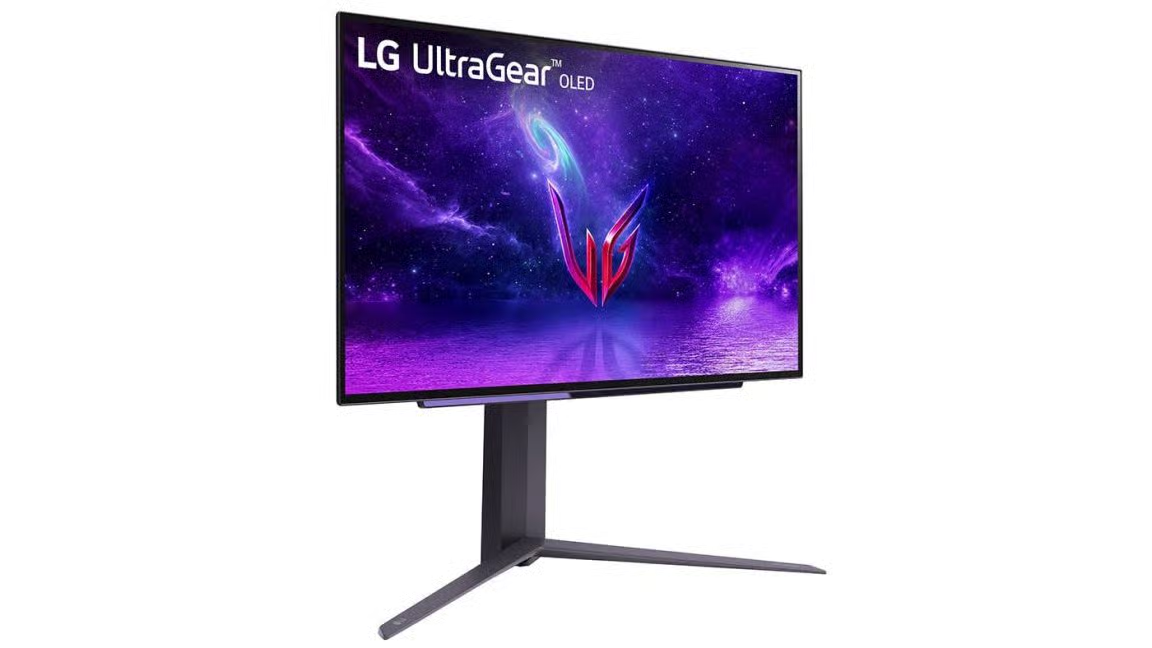
Microsoft responds to LG monitors installing McAfee ads on Windows

cross-posted from: lemmy.world/post/50166453

Most “Smart” TVs use Automatic Content Recognition (ACR), essentially taking snapshots every 10+ms of what you watch and hear, then forwarding & selling that data to companies for ads, etc. I now feel it’s only a matter of time before this “feature” finds its way to our ever “smarter” PC monitors.

LG with the help of Windows is already installing adware when the right Device ID is detected.

☑️ To disable ACR on TV: www.zdnet.com/…/how-to-disable-acr-tv/
arstechnica.com/gadgets/2026/07/microsoft-responds-to-lg-monitors-installing-mcafee-ads-on-windows/
An LG UltraGear monitor on a white monitorArs TechnicaMicrosoft responds to LG monitors installing McAfee ads on WindowsApp is installed through Windows Update when certain LG monitors connect to a PC.

enPage

Replying to @⁨madeindex@lemmy.world⁊

We’ve connected with the team at LG and as an immediate next step, they have agreed to disable the McAfee pop-up from their app. We appreciate LG working with us toward a shared goal of a better experience for our mutual customers. We will keep improving here with our ecosystem partners.

Oh, so does that mean you’re also going to improve your own garbage, ad-laden start menu, Microsoft?

I like how it wasn’t okay because it’s “Microsoft’s turf.” You know what’s coming next? An ad ecosystem that’s built into the monitor, independent of the operating system.

They won’t stop. “Better product” went out the window long ago in favor of juicing the customer for every penny. Don’t give them your money and list it as a primary factor in any questionnaire you may run across.

Replying to @⁨Tylerdurdon@lemmy.world⁊

Microsoft Recall is only Software Level, the users demand Hardware level surveillance!

A satire combination of the Windows 11 & Microsoft Logos, changed to Microscreen with a camera instead of the o and a screenshot border around the logo.MastodonMadeInDex 📰🌎 (@madeindex@mastodon.social)Attached: 1 image #Microsoft wants to take #screenshots of our #screen every few seconds now? 📸 This wonderful #AI "feature" for #Copilot+ #PC is called #Recall. "Recall is currently in preview status. During this phase, we'll listen to customer feedback..." https://support.microsoft.com/en-us/windows/privacy-and-control-over-your-recall-experience-d404f672-7647-41e5-886c-a3c59680af15 Here is our Feedback to the beloved #MicroScreen #Corp: #FCKMicrosoft & #FCKWindows 11 😘 More about this soon 👍 https://arstechnica.com/gadgets/2024/05/microsofts-new-recall-feature-will-record-everything-you-do-on-your-pc/ #Satire #Privacy #design #tech #technology #software #computer #Humor #snapshot #spyware

Replying to @⁨Tylerdurdon@lemmy.world⁊

Building it into the monitor wouldn’t even be hard. Especially if it’s a lightning bolt connection, which can also act as a USB connection. So it coult filch a network connection, run ads overlayed on the monitor. Monitor is touchscreen and you have to physically press the tiny “dismiss” button next to the huge “install” button. Mistakenly pressing install sends a keyboard command to the PC that opens a terminal and runs a winget install command.

The fact that I could think of this means that it’s probably already in the works.

Replying to @⁨madeindex@lemmy.world⁊

Obligatory: you can improve your Windows experience by installing Linux.

Non snarky comment: you can disable driver craplets from auto-installing using group policy or the registry.

run gpedit.msc
Computer Configuration
> Administrative Templates
  > System
    > Device Installation

Prevent automatic download of applications associated with device metadata
= Enabled

That will set the following registry key:

Windows Registry Editor Version 5.00

[HKEY_LOCAL_MACHINE\SOFTWARE\Policies\Microsoft\Windows\Device Metadata]
"PreventDeviceMetadataFromNetwork"=dword:00000001

Replying to @⁨ViatorOmnium@piefed.social⁊

Oof. I’m actually using the USB Hub on my LG Monitor like that (with my Laptop connected to the USB-C) and recently thought “it would have been practical if it had an Ethernet port” now I’m quite happy it doesn’t. Thinking they could just be running a simple embedded Linux to show ads and forwarding the Ethernet connecting that would be sneaky … (Tough I would wonder about an additional Device on my Network)

Replying to @⁨somenonewho@feddit.org⁊

You wouldn’t even really question your new device on the network. Since the monitor must forward the packets from and to your PC it’s MAC address would show up in the network, but that’s expected. And good luck separating the traffic of your monitor from that of your PC if it originates from the very same MAC address as it’s basically the new network card of your PC connected via USB C. And since it could act like a bridge, it could strip out the responses to its own requests and not forward those to your PC so you don’t even see them there. On the other side it’s all TLS encrypted so nothing to see either. Heck, it could even only send its own requests when your PC is actively using the connection so that it’s less noticeable.

You might do some DPI and check what IPs you connect to but good luck finding if it really is your monitor and not some random app on your PC. If it’s using DoH, you can’t even inspect its DNS traffic to get a clue what’s going on (SNI in the handshake might still offer some clue).

Also all of the above enables tracking and spying on you covertly. Ads are quite obvious, so there’s nothing to hide there.

Replying to @⁨helpImTrappedOnline@lemmy.world⁊

It would be awesome if a website cropped up like “ifixit” but was “ibreakit” or something. And it had instructions to surgically physically disable stuff like this on all sorts of models. Like “make a marker on a dremel bit that is 1/2 an inch deep, measure 3 inches from this corner and 4 inches from that corner, make a dot. Drill your dremel into that dot to the 1/2inch marker on your dremel bit to break the traces to the wifi antenna”

Or something like that. It would clearly have to have very bright “if you break your shit we are not responsible” warnings.