posted in Selfhosted

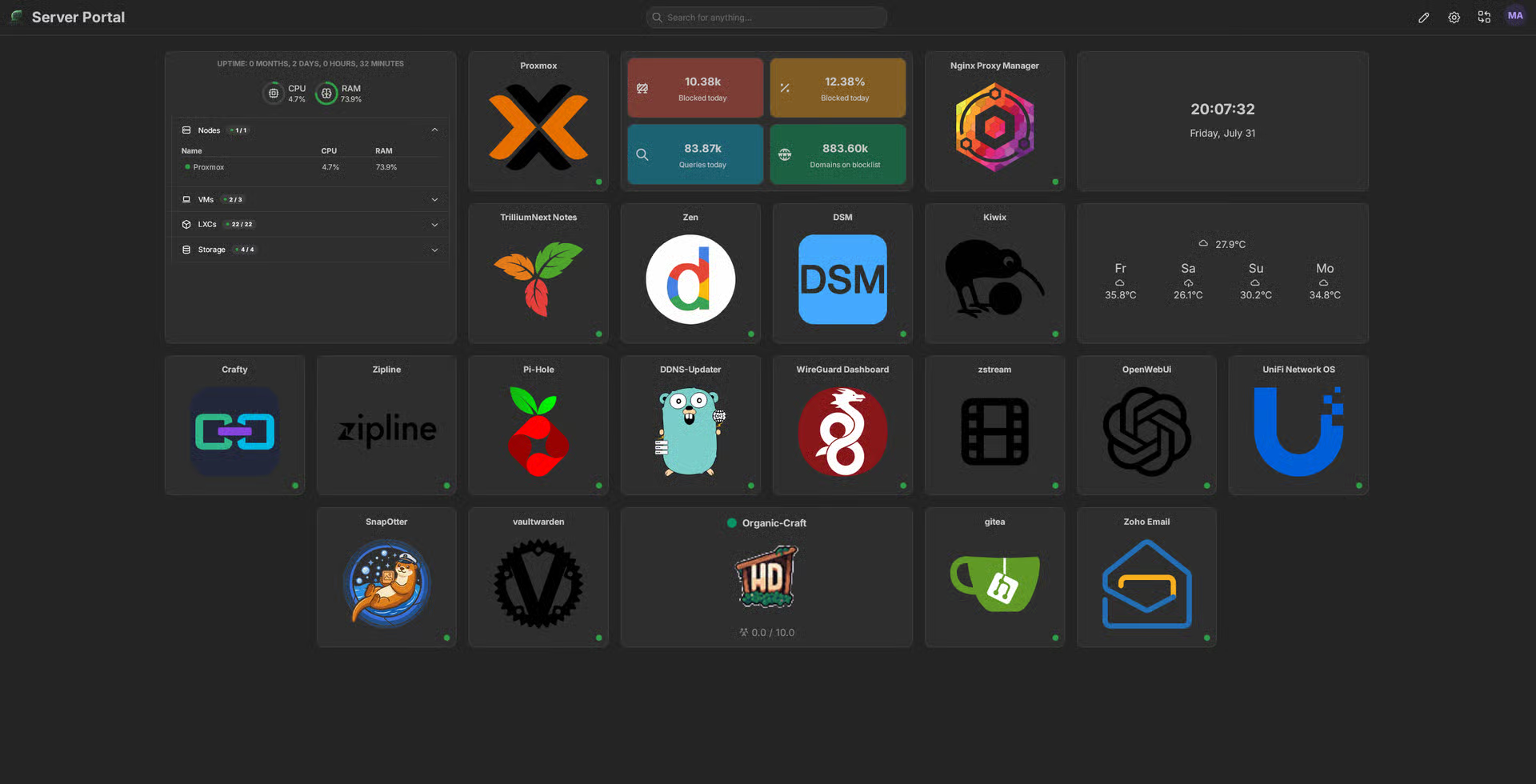
Finally happish with my all-in-one homelab (20+ services and way too much tinkering)

After years of breaking things, I think I’m finally at a point where I’m genuinely proud of my setup -so naturally, I have to share it with you all.

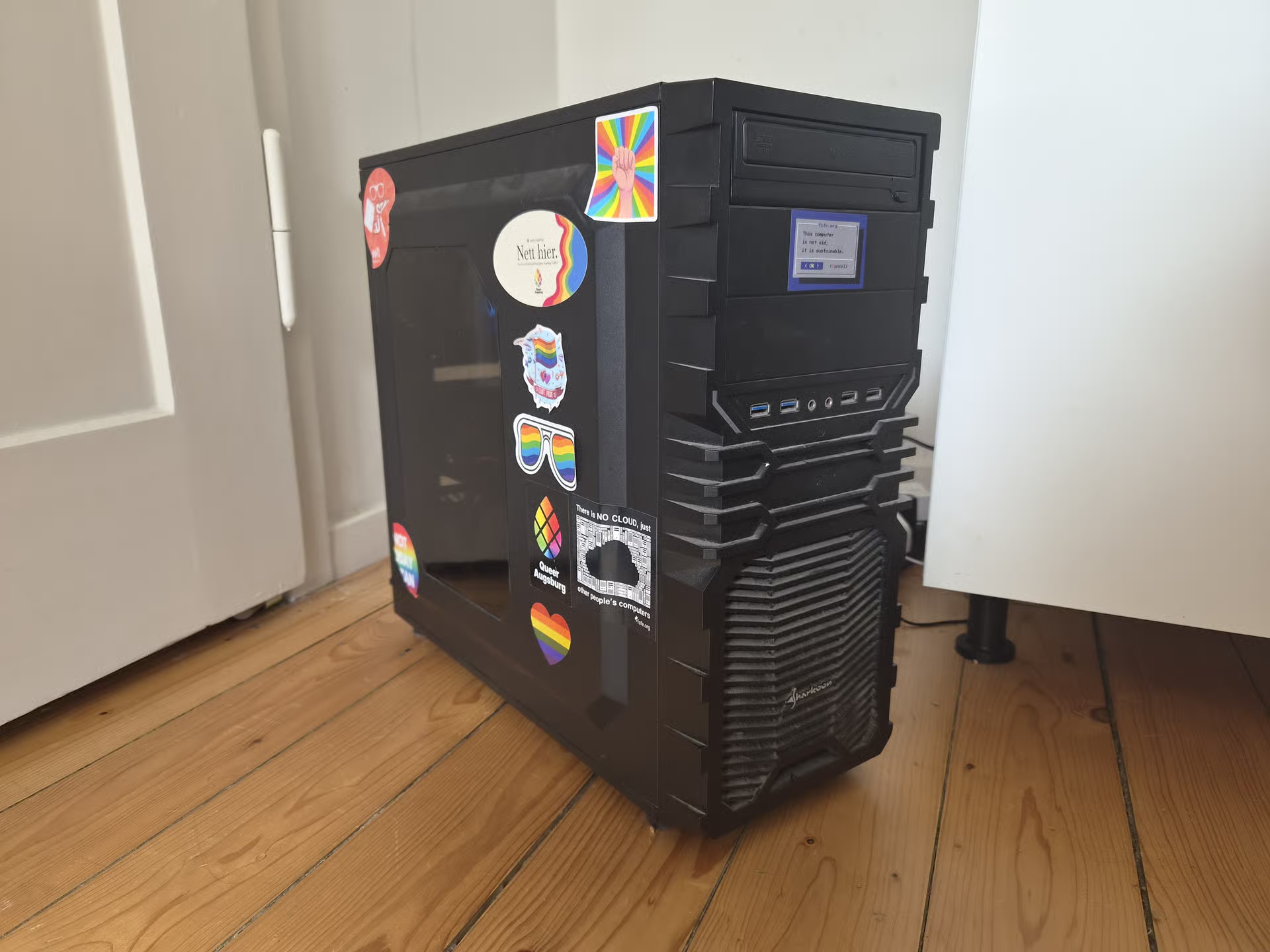
This is my single-server do-everything box. The whole point was to kick as many big-tech cloud services out of my life as possible. Photos, passwords, code, chat, even ML -all running in my closet/corner.

The guts:

  • Ryzen 7 3800X (8 cores, 16 threads)
  • 48GB of RAM (Channel A: 16GB+8GB, Channel B: 16GB+8GB | still dual channel with stock timings and clocks.)
  • RTX 3050 8GB (handles GPU-accelerated processing with GPU passthrough to said LXC’s)
  • A couple of storage pools (Fast-Thin-LVM (Nvme) for stuff that needs speed, TB-Thin (Sata) for the bulk)
  • Proxmox 9.2.5, kernel 7.0.14

Nothing crazy by today’s standards, but honestly? It handles everything I throw at it without breaking a sweat.

The services:

Everything runs in LXC containers. If a service needs Docker, I run Docker inside the LXC - so each service gets its own dedicated container with its own Docker install. A couple of other things (like OpenWrt and DSM) live in VMs instead.

I’ve got the usual suspects - Immich for photos (goodbye Google Photos), Vaultwarden for passwords, and Matrix Synapse for chat. Networking side is Nginx Proxy Manager, WireGuard, Pi-hole, and OpenWrt routing traffic as well as DDNS-Updater to keep my domain up to date. Also running Gitea for my little coding projects, Kiwix for offline Wikipedia (because why not), Trilium for my scattered notes, homarr as the dashboard and of course lemmy, your reading this on it haha.

On the heavier side, I’ve got Ollama + Open WebUI running locally with GPU acceleration - the 3050 gets the job done.

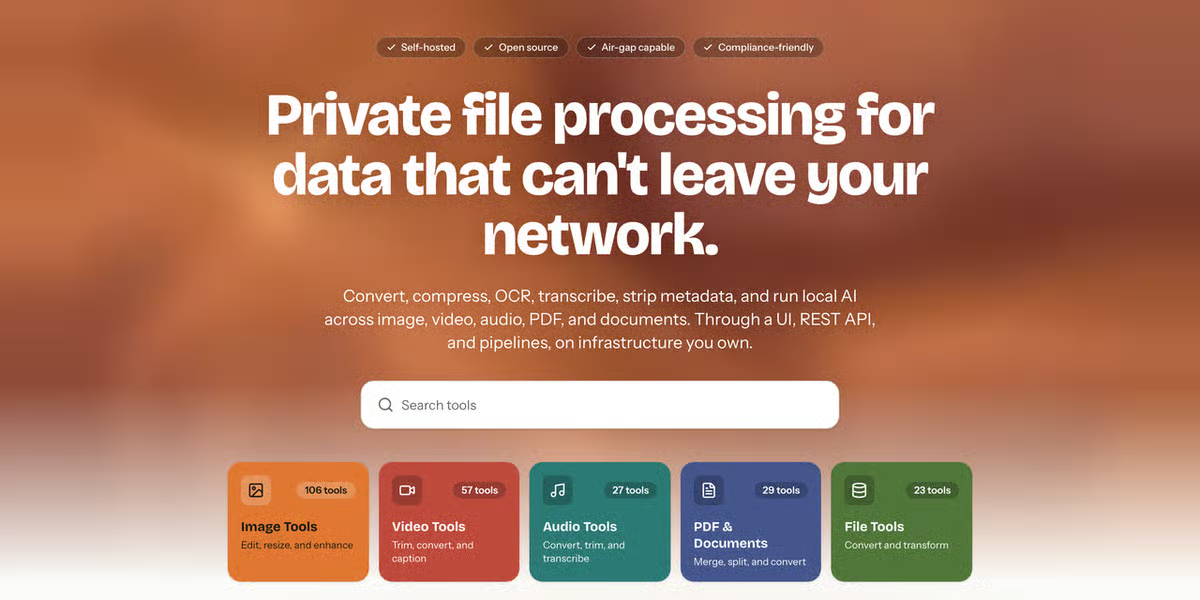
Snapotter is in there too - it’s an open-source, self-hosted file toolkit with 200+ tools for images, video, audio, PDF, and document processing. I use it so I don’t have to rely on sketchy file conversion sites anymore. Convert, compress, OCR, strip metadata - all happens on my own hardware, files never leave my network. The GPU helps with some of the heavier image tasks too.

And yes - I’m running DSM (Arc Loader) in a VM with PCIe passthrough for the NAS. It’s a bit overkill, but I wanted proper storage virtualization with direct hardware access.

I also will not lie- the GPU sits idle most of the time, but it’s nice to have the acceleration.

Why LXC + Docker instead of just Docker?

I just like having each service in its own isolated container with its own Docker daemon. It makes backups and snapshots stupidly easy in Proxmox - when I inevitably screw something up at 1 AM (and I will), rolling back takes two clicks. Plus, it keeps dependency hell contained.

Dive into the Details

If you’re curious about the configs, the philosophy, or just want to see the messy reality behind the setup, head over to organic-server.org. You’ll find some more of my ramblings there.

Or, if you have a specific question, I’m always happy to chat here.

edit: I also forgot to mention I have degoog running. oops.
Edited ⁨⁨Jul⁩ ⁨31⁩, ⁨2026⁩, ⁨20:05⁩⁩enPage

Replying to an earlier post

Proxmox supports OCI containers natively now

As of 9.1, and kind of. To be clear what its doing is not a drop-in replacement for docker, but using that image as a basis for an lxc - so you’re not just pulling a new image to update, more like re-deploying, so keep your stored data elsewhere, outside of the lxc. So what was handled by pulling an image or a change to a compose is done manually in proxmox now, but it does make things like backups/snapshots much more consistent and proxmox-native.

Replying to @⁨FlexibleToast@lemmy.world⁩

I think the misunderstanding is that I’m running every single service as Docker inside its own LXC. That’s not actually what I’m doing.

I split things by service boundary. For example, Pi-hole + Unbound has its own LXC, Lemmy has its own LXC, Immich has its own LXC, etc. Most of those run natively in LXC without Docker at all.

Docker is only there where the application actually expects/benefits from it. I’m not adding a Docker layer everywhere just for the sake of it.

The reason I prefer this over one giant LXC with everything docker- inside. is the management side.

Yes, there is some overhead. But LXC containers are much lighter than VMs. They share the host kernel and use Linux namespaces/cgroups for isolation, so you’re not paying the cost of a full virtualized OS. The extra memory/CPU overhead is minimal compared to the management benefits I get from separating services.

The Docker overhead only exists on the services that actually need Docker. A lot of my services run directly in their own LXC without Docker at all.

Could I put everything into one LXC and run Docker Compose? Sure. It would probably work fine. But for my homelab, ease of maintenance and recovery is just as important as raw resource efficiency.

Replying to @⁨organicpu@lemmy.organic-server.org⁩

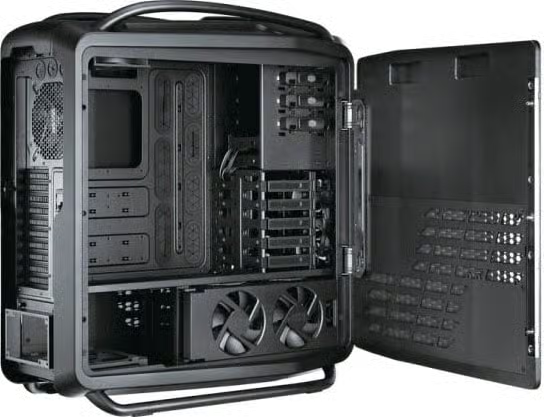
I believe by replying to my comment, per Lemmy rules, totally not mine. You’ve contractually agreed to putting at least 5, but no more than 100 rainbow stickers on the inside of your case.

Yes, you may call them “RGB”.

Yes, they make your NAS go faster.

Yes, they improve airflow, but only when oriented correctly.

No, they don’t make you less straight. They’re “closeted” officially.

Replying to @⁨organicpu@lemmy.organic-server.org⁩

This is pretty cool, and I’m guessing the hardware doesn’t even break a sweat.

My entire setup runs on two AMD mini-PCs, one running a Ryzen 5700u with Proxmox for VM hosting, the other is a 5500u running bare metal Ubuntu.

Proxmox server hosts:

  • Asset UPnP
  • Jellyfin
  • Audiobookshelf
  • (formerly) Plex (I ditched it)
  • Lyrion
  • LRCLIB offline lyrics server (via LRCLIB DB dump)
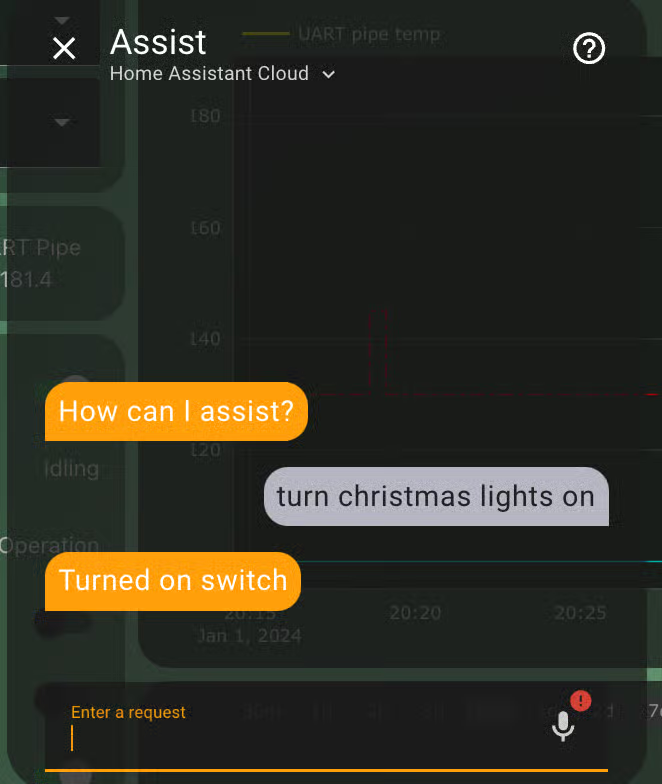
  • Home Assistant VM
  • Navidrome instance

Probably a few other things I forgot about…

The bare metal Ubuntu server currently just runs Audiomuse-AI for music analysis, but when not scanning it’s generally idle. Only set this up because early versions of Audiomuse-AI didn’t play nice for me in a VM even when r running with CPU in host mode.

When the hardware gets cheaper I wouldn’t mind a full size server again with a dedicated GPU (I decommissioned my old one due to defective RAM), but for now the mini-PCs have been great. They’re quiet and absolutely sip power, so efficient and quiet.

Replying to @⁨tomkatt@lemmy.world⁩

Yea! It really doesn’t break a sweat. Most of the time it sits around 5-20W (legit jumps between 5W and 20W) while hosting everything, with around 5-15% CPU utilization. Though I do share it with other people, so it may not be as “idle” as I think it is. With all services stopped and nothing running, it obviously uses way less power.

I also have a Windows VM for someone else, which basically acts as a terminal server for development. They run Linux and need Windows for developing something, but they said “I don’t want Windows anywhere on my physical system”, so I gave them a VM to use instead.

I also like using my server as a playground to test things. It saves me having to install VM software on my PCs and keeps experiments separate.

Originally, I used GPU passthrough to a VM, but I stopped doing that because I wanted multiple services to be able to use the GPU while still keeping everything isolated. Unfortunately, my GPU isn’t nice enough for NVIDIA vGPU support.

So passing it directly into containers was the next best option - although definitely the more tedious route to set up. The efficiency gains are pretty nice though.

It also only pulls around 300W at max load (CPU + GPU), but the load is very variable and heavy usage isn’t that dramatic. Normal “heavy” use is closer to around 120W (CPU + GPU).

In the future, I’d love to move to an ARM-based server for even better efficiency, once the hardware becomes more readily available and practical for server use. The efficiency gains are really interesting, but the ecosystem and availability still need some time to catch up.

Also, your setup sounds really nice. Those mini-PC “servers” are honestly impressive for what they can do nowadays. The power efficiency and silence are hard to beat, and having two separate machines gives you a nice balance of reliability and flexibility. It’s cool seeing how far you can push small hardware with the right services.

Replying to @⁨organicpu@lemmy.organic-server.org⁩

Nice setup! Might check out some services I didn’t know about yet.

But I might add one thing, because I am/was in the same boat: Friends Don’t Let Friends Use Ollama

Friends Don't Let Friends Use OllamaSleeping RobotsFriends Don't Let Friends Use Ollama | Sleeping RobotsOllama gained traction by being the first easy llama.cpp wrapper, then spent years dodging attribution, misleading users, and pivoting to cloud, all while riding VC money earned on someone else's engine. Here's the full history, and why the alternatives are better.

Replying to @⁨organicpu@lemmy.organic-server.org⁩

Wait, what is this SnapOtter thing you mention? Apparently it’s based on some AI tool, but what has me really intrigued is its Whisper capabilities? There was another project I tried to use a few years ago called Willow, in order to have a VTT connection to home assistant. community.home-assistant.io/t/…/664916

The creator tragically died in a car accident soon after though and the project went kaput.

This looks like maybe it could do the same thing???

Home Assistant CommunityEspressif Box devices + Willow Multilingual Voice STT & TTS Home Assistant Add-on How To ConfigureFor those folks lucky enough to have an Espressif Box3 (order one from AliExpress), you can now try Willow with the new Willow Add-on for HA. Note that this is just the Willow Application Server (WAS) which configures the STT service your Box3 uses and it send your spoken word to the Willow team’s cloud hosted, best-efforts Willow Inference Server (WIS) which then spits it back to HA in under 1 second. You do not need to install a local WIS Inference server for this to work. NOTE: I am not af...

Replying to @⁨tyler@programming.dev⁩

this is Snapottter snapotter.com

SnapOtter - self-hosted file processing for image, video, audio, PDF, and filesSnapOtterSnapOtter | Self-Hosted File-Processing InfrastructureOpen-source, self-hosted file-processing infrastructure. Convert, compress, OCR, transcribe, and run local AI across image, video, audio, PDF, and documents, through a UI, REST API, and pipelines. The private, self-hosted alternative to CloudConvert, Smallpdf, and TinyPNG.

Replying to @⁨VeganCheesecake@lemmy.blahaj.zone⁩

I mean, I somewhat understand where you’re coming from. But I’ve always written in this kind of style, and I think the reason the post ended up sounding this way is simply because it’s meant to share information I personally find interesting or useful. There isn’t really much of a way to explain a setup like this without having sections, lists, and explanations.

Honestly it’s a bit difficult to write something like this and have it not sound “AI-generated”.

Doesn’t help, a lot of people seem to associate the dashes (“-”) with AI writing nowadays, but I’ve been using them for years, so unfortunately that probably doesn’t help my case- rip haha.

Regarding the:

“Dive into the Details. If you’re curious about the configs, the philosophy, or just want to see the messy reality behind the setup, head over to organic-server.org. You’ll find some more of my ramblings there. Or, if you have a specific question, I’m always happy to chat here.”

That part was mainly there because I’ve seen a lot of homelab posts where someone shares a cool setup, but then never responds to questions or expands on anything. I wanted to make it clear that I’m happy to discuss the details if anyone is interested.

Replying to @⁨ndupont@lemmy.blahaj.zone⁩

@ndupont Stickers, yes. Colored sticks. I put little stickers all over the computers. Most stickers have mundane details (like host name, Subnet, etc.) but I also use a sticker for each major service. Everything else is documented in notebooks or spreadsheets. It’s probably overkill, but, between my memory and the home-grown gradual evolution of my #homelab, stickers really useful. I have 9 or so computers (rack-mounted), more controllers spread around (e.g., ESP32s running WLED, Pi Zeros), and nearly 250 individual devices for #homeautomation. I’m trying to learn about FOSS for configuration control but that’s slow going.

Replying to @⁨meltedcheese@c.im⁩

250! Wow, I thought I was already nuts with my 42 ZigBee devices + 10 reflashed sonoff over WiFi and my 8 cameras, doorbell etc… Let’s round up to 60; you are way ahead (oO)

I run everything on a single N100 mini NAS/PC with a remote slave backup NAS and the odd raspberry pi.

I’m more concerned about having to document in case I die than being able to keep all in mind, so far

Replying to @⁨organicpu@lemmy.organic-server.org⁩

Acronyms, initialisms, abbreviations, contractions, and other phrases which expand to something larger, that I’ve seen in this thread:

Fewer Letters More Letters LXC Linux Containers NAS Network-Attached Storage PCIe Peripheral Component Interconnect Express PSU Power Supply Unit Plex Brand of media server package SATA Serial AT Attachment interface for mass storage SSD Solid State Drive mass storage

[Thread #68 for this comm, first seen 31st Jul 2026, 18:30] [FAQ] [Full list] [Contact] [Source code]

Hachyderm.ioImran Nazar ~ عمران نزر (@Two9A@hachyderm.io)2.8K Posts, 301 Following, 262 Followers · Front-end #typescript developer and general keyboard tapper; author of Internet RFC 7168 (Hypertext Coffeepot Control Protocol for teapots); occasional plumber, more than occasional #c64 #retrocomputing enthusiast, terrible at classical #piano. Header photo is a verdant scene looking over the landscape near Buxton, England, taken from a single-track country road.

Replying to @⁨organicpu@lemmy.organic-server.org⁩

And yes - I’m running DSM (Arc Loader) in a VM with PCIe passthrough for the NAS. It’s a bit overkill, but I wanted proper storage virtualization with direct hardware access.

Whats this like, I’m running TrueNAS (the BSD version) with PCIe pass-through for my HBA and a couple of SATA ports - all in a VM on the latest proxmox

Replying to @⁨organicpu@lemmy.organic-server.org⁩

Nice that’s similar to my setup! As for a website hub yours looks neat, mine is plain as hell unless you’re a family member, thanks to Authelia – but making public info is on my todo list – I tried custom-building a website many years back and adapted that. (If anyone discovers security flaws please lmk, but I’m preeetty sure I did good)

Gonna share mine :3

  • i3 6100 (2 cores, 4 threads), iGPU passthrough to a LibreELEC VM so I could finally replace the Google CCwGTV 4K*)
  • 24GB of RAM (16GB+8GB, mobo is ITX so that’s it)
  • RTX 3060 12GB (handles GPU-accelerated processing with GPU passthrough to Emby and LLM LXC’s)
  • 256GB Samsung 850 Evo SATA SSD for everything but media
  • SATA HDDs for media:
  1. Shucked Barracuda Pro 10TB
  2. Ironwolf Pro 20TB
  3. Ironwolf Pro 24TB
  • Proxmox 9.2.3, kernel 7.0.6-2 (not quite sure why it’s not using .14)
\*

I conspire that it was being updated to become weaker. Reasons: 1. Menu got laggier; 2. WiFi got real glitchy and wouldn’t connect on wake and I had to either: - d/c and r/c, - power cycle, - or forget the WiFi and reenter details in order to make it work And as the months went on reconnecting stopped working, power cycling stopped working and it stopped giving me a keyboard, instead prompting to “enter on your remote device” so my last remaining technique was to install the Google Home app, set everything up and use my phone keyboard to enter the WiFi creds. I conspired that as it was fine until recently and it went downhill so rapidly, that it must have been forced obsolescence and they’ll probably release a replacement device. Surprise – one month after I replaced it with Kodi, Google released the “Google TV Streamer 4K”.

Once I can upgrade my 2017 flagship to a 2027 midrange I’ll be transferring the i7-7700K and the other half of the 2x16 RAM, and I’m in dire need of more storage so a 30TB Ironwolf is in my sights (but fuck, it’s 2x its pre AI-pocalypse price (aka Sep 2025).

www.black-household.ukBlack Household - Homepage

Replying to @⁨organicpu@lemmy.organic-server.org⁩

Nice! I have a similar build! I recently discovered proxmox and now have my home assistant, Plex server, and a full arr stack up on it. I should look into automated backing up of photos 🤔. Turns out, hording all my old gaming PC hardware was the right call. With component prices these day it feels like a small fortune having extra hardware, drives, and ram laying around! (The wife finally agrees lol 🤣)

Replying to @⁨organicpu@lemmy.organic-server.org⁩

I really hope you remembered to give yourself a bit of leeway on your PSU. I forgot that the last time I upgraded my pc. ended up with a lot of power failures running a pc that needed 850 watts on a 750 watt PSU. I’ve since stopped being so stupid and gave myself extra leeway with a 1k watt PSU. (my pc needed around 850 watts and I hate not having a bit of leeway for upgrading).