Every Windows debloater script comes with the caveat of “until the next update”. Instead of becoming a Windows Defucking Engineer I just left it entirely.
Except that these are group policy settings. The stuff they provide to allow businesses to manage their endpoints. Businesses that actually have enough size and money for Microsoft to care. Businesses that can have strict audit and data security requirements relating to things like not allowing data to even brush against something like OneDrive.
To be more direct, the only reason I can’t count the number of times they’ve broken a Group Policy is because I legitimately don’t recall it happening in the past decade.
Yes and no. They started to limit GPOs. Some are only valid on Enterprise Licenses or Windows Server and will be ignored by your usual Windows Pro License at home. With Windows Home, you’re SOL regarding GPOs.
Also they started to migrate some of these settings to their Intune Device Management and will ignore those if not set via Intune.
Read: Companies can still disenshittify Windows to some degree, but they make it harder and harder for normal people to do so.
Fair enough. I work in IT but endpoint config and group policy isn’t my area at work, so most of my experience is with my personal computers at home. I at least usually hear the latest bullshit Microsoft is pulling from our endpoint management/config guy.
I should also bear in mind that I stripped down and customized the hell out of the install media before I last installed Windows on any of my devices, and I’ve run a shit ton of other customization/privacy/debloat tools afterwards as well. Usually by examining the policy and registry edits or PowerShell code they run and just picking and choosing parts for myself. Lots of good tools out there, but none I trust to do exactly what I want with no oversight or investigation.
I’d still say that Group Policy is usually the best option for configuration shit sticking though, due to it being Microsoft’s “business side” solution for endpoint config for quite a while now.
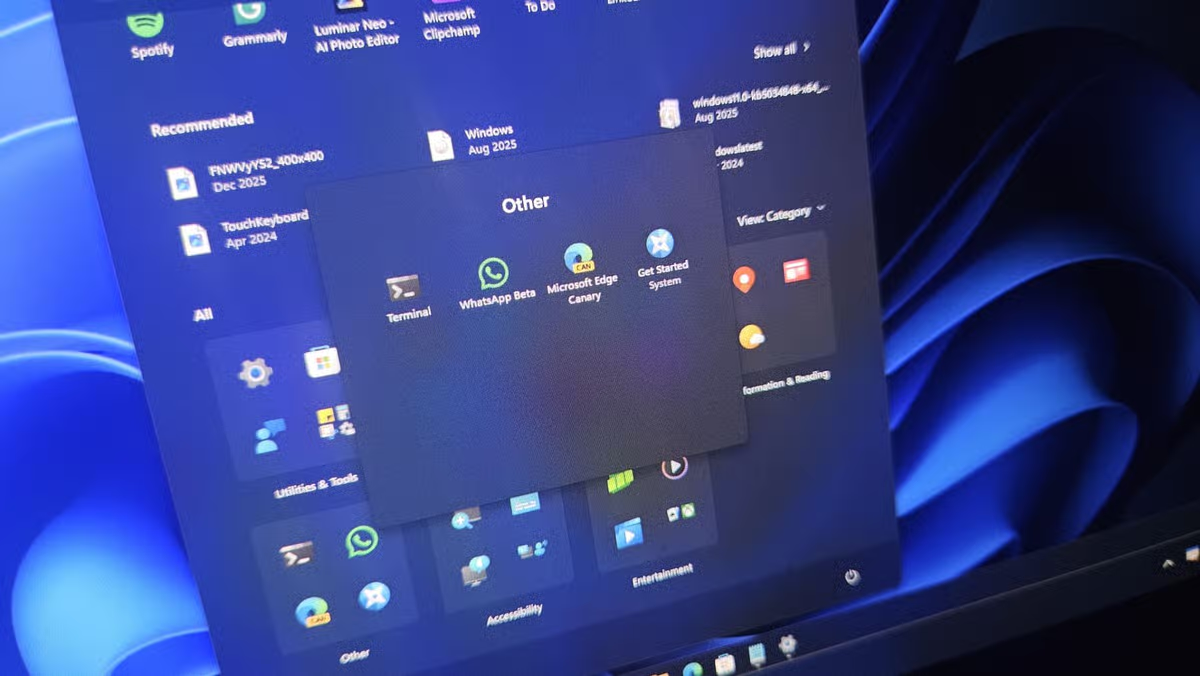
That sounds a lot like typical Windows features over the years. Using WIndows at work today I unpinned Co-pilot and that stupid new Notes app from my taskbar three times. They kept coming back, not right away, but ninja like.
Unlikely. Microsoft took away GPO control of taskbar and start menu a while back, and I don’t think they restored it. And even if they did, a company would be more likely unpin and block them than to push them.
I’d love to think that, but my company is currently holding weeklong seminars to make sure that every employee is using Copilot and ChatGPT as much as possible.
I’ll taken your word for it, but if taskbar and start menu were controllable, I’m pretty sure after the third “I’ve deleted the internet/copilot/notes” support call I would be enforcing that the default taskbar items stay there.
Some companies might be resisting copilot, but many are going all in on it.
Our O365 admin panel keeps telling me there is a problem because 0 of our employees can easily find copilot and I could fix it by forcing it to be pinned to the taskbar.
These are paid surveillance services Microsoft provides to the government, paid for by your tax dollars. No wonder they desperately want to force you to use OneDrive.
If any of your Linux machines use SystemD, then Microsoft has done that then there’s something to be aware of with those machines. SystemD has a global system ID that can be used like the Windows GDID apparently.
Absolutely zero reason a init system needs admin date of birth. Yes separate issue entirely, but it’s showing a trend and the direction things are headed.
But that’s not at all what I asked you or what you claimed. Those are technically two different things. And not technically like yes or no. Those are entirely different security fronts.
You’ve got to back that claim up or take it back, and I have a feeling you’ll be taking it back.
It’s okay to be cautious, and it’s especially okay to warn others of trajectories that could lean into privacy or security issues, but it’s not okay to make shit up.
Lastly it’s no longer an init system. It’s a system that happens to handle init.
That’s fair. I didn’t mean MS was the threat actor, just the seed from which this grew. I definitely take that back after reading up more on where machine-id grew out of.
However, I don’t concede that machine-id is theoretical for user fingerprinting. Any software installed can read it, especially a browser. That’s the vector for tracking across the web. Do I have instances of this occurring, no. Seems plausible and the more we can sandbox things, especially “web browsers” (untrusted app runners more like it) the better.
I’m not technically inclined enough to harden against that, nor do ai really have the inclination. But here is a thread on that topic where I even heard about it.
I did just read I think 90% of that, and it just seems like that person is sour about systemd in general.
I agree it’s not unix/Linux philosophy but it’s the best we have.
Does it do too much? Maybe. I haven’t seen that exploited on a large scale in the real world, but it’s definitely a golden key.
There are options. But it’s just one of those things. You’re pissing in the wind unless you’re willing to write it yourself. You can use non systemd distros or even use bsd.
All that said, you’re absolutely right to be concerned, but speaking on it like it’s an active vulnerability is dangerous.
It’s also evident that it’s reliant on the software you run, it’s not systemd that’s giving you away, it’s your application that you chose to install that’s abusing or neglegent of systemd’s access.
To be fair, a lot of platforms just flag any encrypted archive file (not just rar) as malware. Their argument is that those files are commonly used to get past malware detection, which is kinda true. Still a pain for everyone who has a legitimate need for the feature.
Zipping files was never enough to secure them in the cloud. It‘s always recommended to properly encrypt sensitive data properly before you upload it. Whether you use OneDrive, Google Drive, Proton drive or whatever.
Still amazing how far Microslop goes to sniff through your stuff preemptively, though. Your cloud storage should be none of their business but sadly it‘s their entire business now. Privacy laws should definitely extend to digital space you rent no matter the circumstances.
If cloud providers argue that‘s too dangerous then they simply shouldn‘t be in business. If a government says it‘s too dangerous then they shouldn‘t be in power. Obviously they don‘t trust in the people who voted for them. Therefore they don‘t trust democracy and are therefore fundamentally undemocratic and a danger to the people.
ZIP encryption can be pretty strong, as long as you use aes-256 and not zipcrypt. AES256 had been supported for ZIP files since 2003, just not in the built-in Windows zip handling.
One drive was the final kick that made me jump to Linux. I had removed all my files from it and turned it off several times over the last few years then randomly, something like The Sims 2 will have a brand new game file and I know, One Drive stole my documents… Again.
Well the most recent time they took all my shit and put it back in One Drive was after that update where randomly One Drive was glitching out hardcore. It deleted all my files. All the files that should not have been in there to begin with. Microsoft help basically said, too bad so sad, if you were paying for it maybe we would help you.
Back in the day, I had my photos in multiple locations, some on local external drives, some in small cloud storage pockets….a bit of mess, really. Since I had a great deal on O365 family plan I thought - why not gather all of my various photo collections, and consolidate them on a single cloud storage - what could possibly go wrong? This is how I discovered that OneDrive doesn’t know how to read EXIF metadata properly. I ended up with basically a pile of over 30k pictures and videos, completely out of any order. Never again.
So does Copilot and Microsoft Copilot 365. I enforce GPOs to ban/remove them, and every couple Windows updates, it reinstalls, and each next day I see my alerts pop up they’re back.
I corrupt the files. I take ownership, remove inheritance, and then deny Trusted Installer and System access. My windows systems generally have several components neutered like this. Major upgrades will sometimes overwrite my changes, but mostly they stick. Absolutely nonfunctional.
You can also just use a program to block data access. I have like 15 Microsoft processes barred from the internet because fuck off from my limited data.
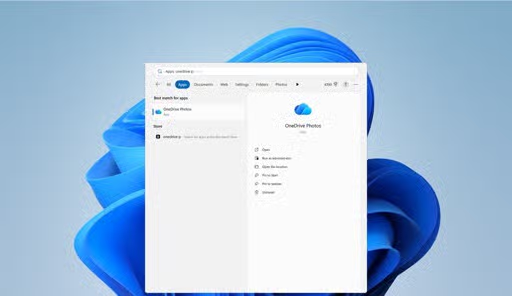
Unlike traditional web apps, OneDrive Photos is actually quite well built. It has a Windows 11-like Acrylic design for the context menu and does not take up a huge amount of resources, as RAM usage stays under 1GB
Excuse me, a photo gallery that takes 1gb of RAM, especially in this economy, doesn’t seem “quite well built”.
This fucking web app wrappers, Picasa had 100x more features while using 50x less resources
It has almost never failed. We added 254092 ifelse statements, ensuring every possible state will be dealt with. It only fails if the user does something unexpected, like clicking too fast. Damn. That makes 254093.
It’s not a “web app”. It’s a native Windows app. A photo library app that indexes every single photo so you can search them with natural language like “green shirt”, group people by facial recognition, and edit photos, using under 1GB of RAM is impressive.
Is it actually doing it in-device? Given that it’s attached to OneDrive, I was rather under the impression that it was just offloading the processing to their servers.
I don’t use it because I know they’re going to be nosing around whatever I put in there. If it was truly just file storage I would consider it but they can’t keep their grubby hands off our data. My comment regarding this photos app is the same idea. If it could be used 100% locally and wasn’t also being used to train some AI model or whatever other bullshit they’re doing with it then it would be fine. People have a right to know how their data is being used.
If the “native” Windows app it’s running on a dedicated browser and coded with web tech, it’s still a web app even if it’s an .exe
Did you know that Picasa could still group people by facial recognition in windows XP with 1 gb of ram in TOTAL? (Clarifying: 1gb to the whole system, not only a single app)
And are you sure that the indexing is running locally? Because it’s called “onedrive photos”, not “windows photos”, so they can totally do the indexing on the cloud.
if you install binisoft windows firewall control, it wants to get permission to “Microsoft Edge WebView2” when you open it
all the other microshit apps like clipchamp, new outlook, teams, the start menu, the widgets, are all webapps. It’s like they fired anyone that knew how to write code and replaced them with copilot
If you do a native photo gallery and it uses 1000 mb of RAM just to showing 5 screenshots, that means you’re a grossly incompetent coder and that’s even worse
I can’t believe you don’t know this, but Edge is a web browser, used to show web pages.
Their own f*cking fault. Anyone still using that garbage corp/software are just asking for it. Stop whining about your own decisions, start migrating to a non-psycho open OS. Please, spare other people from the guaranteed problems coming from your own stupid choices.
Well, considering it’s damn near 100% of the environment, I’d say anyone who doesn’t work with Windows isn’t really an IT admin.
I’ve been looking for jobs to get started in Linux administration, and I gotta tell you, the handful of times I see it mentioned is as a single line in the footer of the job posting.
My problem with this particular argument is that M$ attained this dominance not because of the quality of its products, or because its C-suites are geniuses, but by decades of lobbying and monopolistic market practice.
I dislike this article because it hides important facts until the last section: “I am in touch with Microsoft about OneDrive Photos, and my early findings suggest that it was an unintended rollout. An apology should be coming soon.”
So, this journalist/news site shames Microsoft for doing something shitty, while doing something shitty themselves.
If memory serves me right. This is like the fourth unintended rollout in OneDrive history, on W11 at least. Every time our IT has to send an email to remind all staff how to disable computer wide backup and how to disable OneDrive in general. Since we don’t pay for it but MS still insist it should infect everything.
Each of these unintended rollout costs us millions of dollars of people’s time, since our organization has hundreds of thousands of employees all over the world.
It was not an unintended rollout, that’s them lying to save whatever face they may have left.
Back when I used windows, OneNote would reinstall itself like every week. I removed it, it came back. I corrupted all of it’s files, it repaired itself.
Doing unintended rollouts is also shameful. They’re a billion dollar corporation. There’s absolutely no excuse for something like that to happen. The journalist did nothing wrong to call them out.
There is one single app I need for freelance work that I cannot replace with a non-windows app.
It lives in a virtual machine and is shut down for 99% of its existence.
The machine that runs the VM is the one I use for local LLM and fucking around with docker containers. It’s an insanely powerful machine that’s slightly RAM constrained. I can run what feels like an unlimited amount of containers on it, or that fucking Windows VM. I have to kill every running container on the machine just to run one single Windows app for 10 minutes once or twice a week.
If my freelance work paid more, I’d buy a dedicated windows machine just to do this one fucking task. (And then I’d have to air-gap it, and figure out how to remotely start it somehow, because I don’t trust Windows at all, and don’t want it running all the time.)
Or, I guess… buy access to a windows VM online? Hm. The convenience/time/effort trade off could be worth it at certain price points.
Same boat. And my work laptop just got fucked by OneDrive again, very frustrating. I have no other qualms with windows, honestly, but stop moving my folders. My desktop is no longer my desktop, despite me reverting back and all that. And it’s far from a big deal, it’s just an annoyance at this point. But I’m stuck because of my incredibly niche software.
this is a legit question, but why can’t you run that program through wine? does it need a windows account validation step or something or does wine simply not work for that program?
I use MacOS (I know, I know), but I didn’t realize I could use WINE on Mac. I haven’t had a chance to investigate yet if I can make this work for me, but this was a good suggestion. I have this on my short list of stuff to figure out. Thank you!
I’ve faced this situation at work, we deployed a dedicated windows VM that all the devs shared for the one tedious task. Eventually got replaced with a saner system and we had no Windows dependencies at all.
Just say Fuck Microslop at this point, plenty of beginner distros for Linux nowadays. Sucks for company employees that force it though. Hey CEOs I have money saving advice, Linux is free! You can even not go bankrupt to claude! lmfao.
Not true. You still very much have contracts with those companies be it RHEL or Ubuntu. It’s less don’t get me wrong, but not free. Like your small local shop could get away with it, but once you have regulatory oversight, things change.
almost 20 years ago I wrote a service that did this because of a hijacker. After I cleaned the system I extended it to stop all the MS bullshit that just wouldn’t stop running.
Windows-free since 2014 in my case! Hated Windows 8’s user experience enough that I decided KDE was a better windows than windows and never looked back.
In 2026 Plasma 6 is genuinely in the conversation for the best graphical environment for the desktop platform in general, partly because it’s very good and partly because Apple and Microsoft have let standards slip a lot in my view.
Nowadays, all you have to do to get your antitrust lawsuits conveniently forgotten is agree to lock down your company’s OS and share your data with the US government, like Google.
Yesterday I found that my C drive was almost completely full and that was causing issues, digging into it I would that somehow a bug in One drives logging had generated almost 30 GB of logs, and the funny part is I have OneDrive disabled on my laptop. Tech has become such a toxic shithole field I wish I picked a different career
I want to but I don’t have enough external storage to back my data before wiping off windows and doing a clean Linux install, need to buy some hard drives first, hoping this AI scam hasn’t inflated the prices on those as well

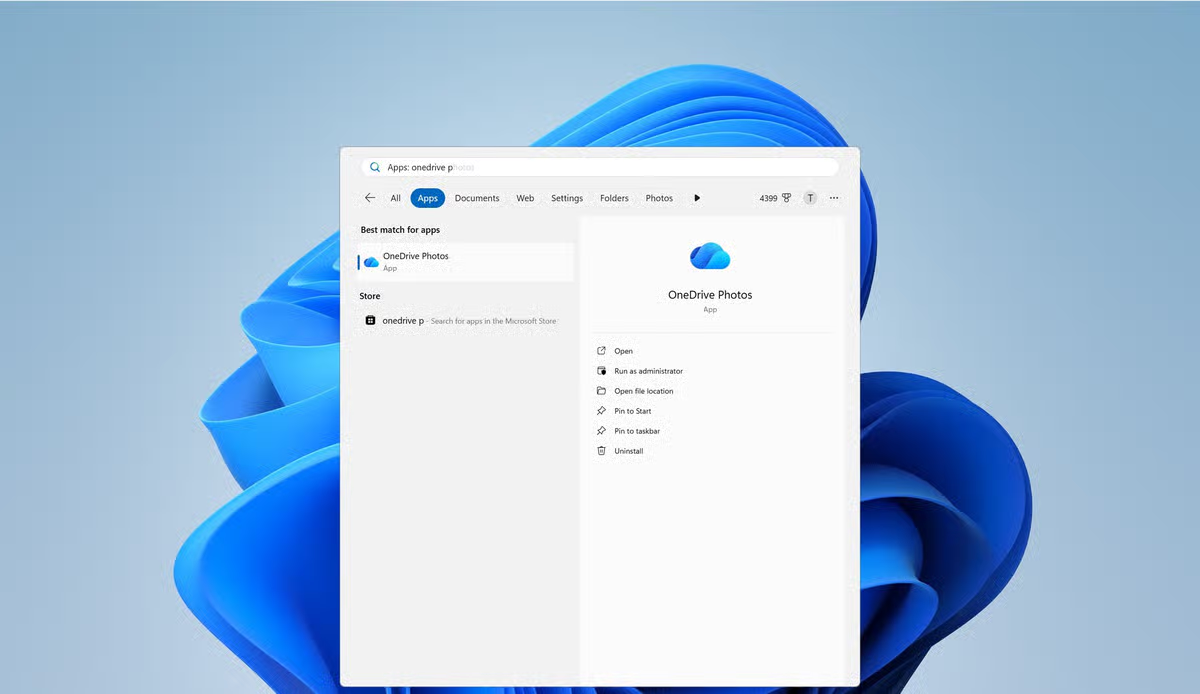 Windows LatestMicrosoft never learns, IT admins rage as a new OneDrive app invades Windows 11 and keeps coming back when you remove itIT admins rage as Microsoft force-installs OneDrive Photos on Windows 11, and it keeps coming back when you remove it.